
 Mobile Generator




Understanding Your UPS: Powering 2025's Homes
A UPS (Uninterruptible Power Supply) acts as the critical bridge, providing instant backup power to a home's essential systems when the main grid fails. This ensures seamless operation, especially when integrated with Energy Storage System (ESS) generators. Urban homes experience average power outages lasting 90 minutes; however, some outages extend for hours, like Saskatoon's four-hour event, or even days, as seen with Hydro Ottawa customers.
Key Takeaways
- A UPS gives instant backup power to your home when the main power goes out. It works with an ESS generator to keep your home running smoothly.
- A UPS protects your electronics from power problems like surges and outages. It keeps your internet and security systems working during blackouts.
- Choose the right UPS by checking how much power your devices use. Also, think about the battery type and how long you need backup power.
What is a UPS and How it Works with ESS Generators

Defining the UPS: More Than Just a Battery Backup
A UPS, or Uninterruptible Power Supply, offers more than simple battery backup. It acts as a sophisticated power guardian for electronic devices. When the main utility power fails, the UPS immediately switches to its internal battery. This battery stores DC power. An inverter within the UPS then converts this stored DC energy back into clean AC power. This process ensures connected critical loads remain operational without any interruption. This temporary power supply typically lasts for minutes, allowing users to perform controlled shutdowns or for other backup systems to activate.
Seamless UPS Integration with Your Home's ESS Generator
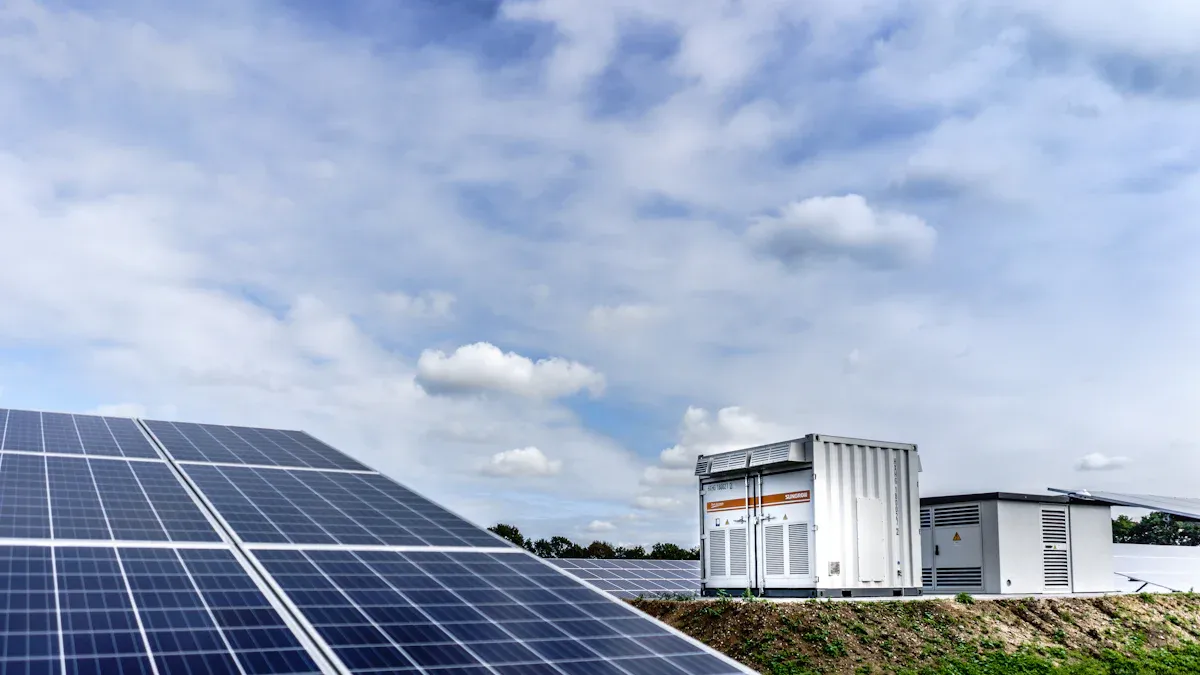
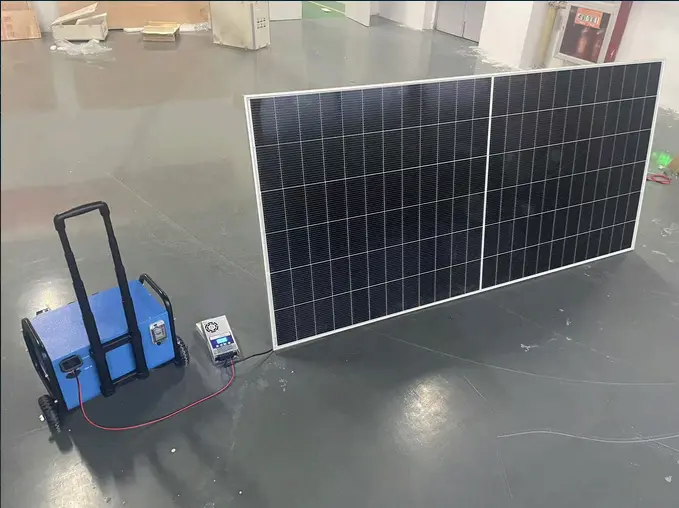
Integrating a UPS with a home Energy Storage System (ESS) generator creates a robust and reliable power solution. Devices like the Quattro inverter/charger serve as central components for this integration. This system features dual AC inputs, allowing connection to both the main grid and a generator. When a grid failure occurs, the Quattro seamlessly switches to battery power, providing an uninterrupted supply to critical loads. If battery levels drop, the system can automatically start the generator. This generator then powers the loads and recharges the batteries. This integrated approach also optimizes generator output. It converts unstable generator power into stable power and can boost generator power with battery assistance during peak demands. This allows for the use of smaller, more efficient generators.
The "Always On" Advantage: Why This Duo is Essential
The combination of a UPS and an ESS generator provides an "always on" advantage for modern homes. This duo ensures continuous power availability, eliminating disruptions from grid outages. Homeowners experience uninterrupted operation of essential appliances, security systems, and communication networks. This seamless transition between power sources protects sensitive electronics from power fluctuations and surges. It also maximizes the efficiency and longevity of the entire home energy system. This integrated solution delivers true energy independence and peace of mind.
Key Benefits of a UPS in Modern Homes
Protecting Investments: Data and Device Integrity with UPS
Modern homes rely heavily on sensitive electronics. These devices face constant threats from power fluctuations and outages. Momentary outages, even split-second power losses, disrupt digital equipment. They cause issues like flashing on microwaves or electric clocks. Lightning strikes, power line accidents, or stormy weather often cause these events. Voltage spikes, rapid periods of high voltage, damage unprotected equipment. Lightning, animals on power lines, or large electrical equipment switching off create these spikes. Sags and surges, where lights dim then brighten, stress appliance motors, circuits, and microchips. This leads to premature wear in devices such as computers, digital clocks, large screen televisions, and security systems. A UPS acts as a crucial buffer, shielding these valuable investments from such damaging power anomalies.
Maintaining Connectivity: Work, Communication, and Security
Continuous internet access is vital for modern living, supporting remote work, communication, and home security systems. A UPS battery backup system powers essential Telus hardware, like modems and routers, during a power outage. This prevents internet disruptions within the home. However, internet connectivity also depends on the Internet Service Provider's (ISP) infrastructure. If the local cable network's node loses power, internet service will still cease, even with a powered home modem. VDSL or phone lines generally maintain activity more reliably during outages. Cellular internet often proves the most resilient option when grid power fails.
Optimizing ESS Performance and Longevity with a UPS
Integrating a UPS with an Energy Storage System (ESS) generator significantly enhances the overall home energy solution. The UPS provides immediate, clean power, protecting the ESS from sudden load changes or power quality issues. This smooth power delivery reduces stress on the ESS components, extending their operational lifespan. It also ensures the ESS operates at peak efficiency by managing power flow and preventing unnecessary cycling of batteries. This combination safeguards the entire energy infrastructure, maximizing the return on investment for homeowners.
Choosing the Right UPS for Your Home's Energy Future
Selecting the appropriate Uninterruptible Power Supply (UPS) for a home requires careful consideration. Homeowners must evaluate their specific power needs, desired backup duration, and the smart capabilities they seek. This ensures the chosen system effectively protects valuable electronics and maintains essential services during outages.
Sizing Your UPS: Understanding VA and Wattage Needs
Properly sizing a UPS is fundamental for its effective operation. Homeowners must determine the total power consumption of all devices they intend to connect. Power consumption is typically measured in watts (W). Many essential home appliances consume varying amounts of power.
| Appliance | Power Consumption (Watts) |
|---|---|
| Individual Electronic Devices (standby) | 5-10 |
| Gaming Consoles (standby) | 8-150 |
| Typical Refrigerator (equivalent to 150W continuous) | 150 (for one hour) |
| Routers | 6-12 |
| Modems | 6-12 |
| Desktop Computers (sleep mode) | 5-15 |
| Monitors (standby) | 2-8 |
| Home Office (cumulative) | 30-50 |
The Volt-Ampere (VA) rating of a UPS indicates its apparent power capacity. The Power Factor (PF) links watts and VA. One calculates the Power Factor as Watts divided by VA. For example, a device drawing 100 Watts with a typical workstation PF of 0.6 requires a UPS VA rating of 167 VA (100 Watts / 0.6 PF). When selecting a UPS, experts advise choosing a VA rating 50-75% higher than the total wattage consumed by connected devices. This accounts for power factor variations and future expansion. Remember, the consumption is cumulative, not per device. If electronics draw up to 300W, a 600W UPS is a recommended choice.
UPS Battery Type and Runtime Considerations
The type of battery within a UPS significantly influences its performance, lifespan, and cost. Two primary battery types dominate the market: lead-acid and lithium-ion.
| Feature | Lead-Acid Batteries | Lithium-Ion Batteries |
|---|---|---|
| Cost | Lower initial cost | Higher initial cost |
| Lifespan | Shorter (3-5 years typical) | Longer (8-10+ years typical) |
| Weight | Heavier | Lighter |
| Size | Larger footprint | Smaller footprint |
| Maintenance | May require more maintenance (e.g., temperature control) | Generally maintenance-free |
| Charge Cycles | Fewer charge cycles | More charge cycles |
| Efficiency | Lower charge/discharge efficiency | Higher charge/discharge efficiency |
| Temperature Sensitivity | More sensitive to temperature extremes | Better performance across wider temperature ranges |
| Energy Density | Lower energy density | Higher energy density |
The runtime a UPS provides depends on several factors.
- Usage and load significantly impact UPS runtime. Heavier loads and frequent power outages reduce the battery's operational duration.
- The duration a UPS can power devices is contingent on the connected load and the battery's capacity. For instance, a standard UPS might support a desktop PC for 5-15 minutes, while higher-capacity models can extend this to 30 minutes or more.
Homeowners must assess their critical devices and determine the necessary backup duration. This helps them choose a UPS with adequate battery capacity and the appropriate battery chemistry.
Smart UPS Features and Connectivity
Modern UPS systems offer advanced features beyond basic power backup. These "smart" capabilities enhance monitoring, control, and integration with home networks.
Smart features include:
- Real-time monitoring of battery percentage, load level, input/output voltage, and system temperature via a dedicated interface.
- Power event notifications for mains power failure or return, sent through a management system.
- Automated coordination for controlled shutdowns across UniFi infrastructure (e.g., Dream Machines, switches, NAS units).
- Compatibility with Network UPS Tools (NUT) for graceful shutdown of third-party devices like Synology or QNAP NAS.
- Configuration of email or push notifications for voltage irregularities, battery health alerts, and firmware updates.
- Safe unattended system shutdown and file saves through specialized software during prolonged power failures.
Connectivity options facilitate these smart features. Common options include:
- USB ports: Many UPS models include USB connectivity for orderly shutdown and external battery control.
- DB9 ports: Some smart devices also feature DB9 ports for communication.
- SNMP/web card slot: A slot for an SNMP/web card is available, implying support for Ethernet connectivity through this optional card.
- Wi-Fi: The provided details do not mention Wi-Fi as a connectivity option for some professional smart UPS models.
These smart features and connectivity options allow homeowners to manage their power backup system proactively. They ensure data integrity and seamless operation of critical devices during power disturbances.
Installing and Maintaining Your UPS Guardian

Professional UPS Installation vs. DIY
Homeowners often consider installing a UPS themselves. However, UPS installation is complex. It requires specific tools and equipment to ensure proper performance and safety. Attempting DIY electrical work without proper training and safety equipment can lead to personal injury or property damage. Professionals consistently advise against DIY electrical work due to significant risks to personal health and property. This recommendation extends to UPS installations, as they involve electrical systems. DIY installation can also void the product's warranty. This means any subsequent repairs would be at the owner's expense. Faulty DIY repairs can result in further damage to the unit, increased energy consumption, and new safety hazards. Specialized knowledge and certifications are often necessary for safety and compliance with local building codes. A DIY mishap can lead to significantly higher costs than hiring a professional.
Simple UPS Maintenance Tips for Longevity
Proper maintenance extends the life and efficiency of a UPS. Regular battery testing is crucial. Experts recommend conducting UPS battery tests quarterly. UPS batteries typically require replacement every 3-5 years. Most SLA batteries generally last between three to five years. For stored SLA batteries, checking and charging them every three months maintains their capacity. Environmental conditions also significantly influence UPS performance and lifespan. Both temperature and humidity affect how well UPS batteries function and how long they last. Homeowners should ensure the UPS operates within recommended temperature and humidity ranges. This simple care ensures the UPS remains a reliable guardian for home electronics.
A UPS acts as the indispensable silent guardian, working seamlessly with ESS generators. This powerful combination ensures homes remain consistently powered, thoroughly protected, and highly productive. Homeowners gain true energy independence and confidence. They should invest in this crucial technology for a secure future.
FAQ
What is the primary difference between a UPS and a surge protector?
A UPS provides temporary battery power during outages, ensuring continuous operation. A surge protector only shields devices from voltage spikes, offering no backup power.
Can a UPS power an entire home during an outage?
Typically, a UPS powers only critical devices for a short duration. For whole-home backup, homeowners integrate a UPS with a larger Energy Storage System (ESS) generator.
How often should one replace UPS batteries?
UPS batteries generally require replacement every 3 to 5 years. Regular testing helps determine their remaining lifespan and ensures optimal performance.